

Make your audience part of the show.
Bring your audience into the show with song votes, polls, messages and more. Prepare reusable interactions and run them from your show controls, with a shared diary, bookings, repertoire and setlists to keep the band organised between gigs.
Join takes you to signup, where the current invitation requirements and request form are explained.
Outside the UK? Register interest in international availability.
Shared diary and bookings
Use the shared diary and bookings to plan dates, maintain your repertoire, and prepare a setlist for each show.
Prepare and reuse your show setup
Arrange your setlist and add interaction templates from the library. Save a whole show as a template to reuse its setup for another gig.
Run what you prepared
Use the show runtime controls to manage the running order and interactions. Share a join link when you want audience participation.
Interface screenshots are focused component captures using demonstration data. They are examples of the current UI, not customer account data or full-page workspace views.
Keep the song catalogue in one place
The Songs management view is where a band maintains its repertoire. Add and organise songs in the library, then use them when preparing show setlists.
A compact setlist view
This focused mobile capture shows the setlist panel at a narrow phone size. It demonstrates the song-order controls, not a complete audience-facing app.
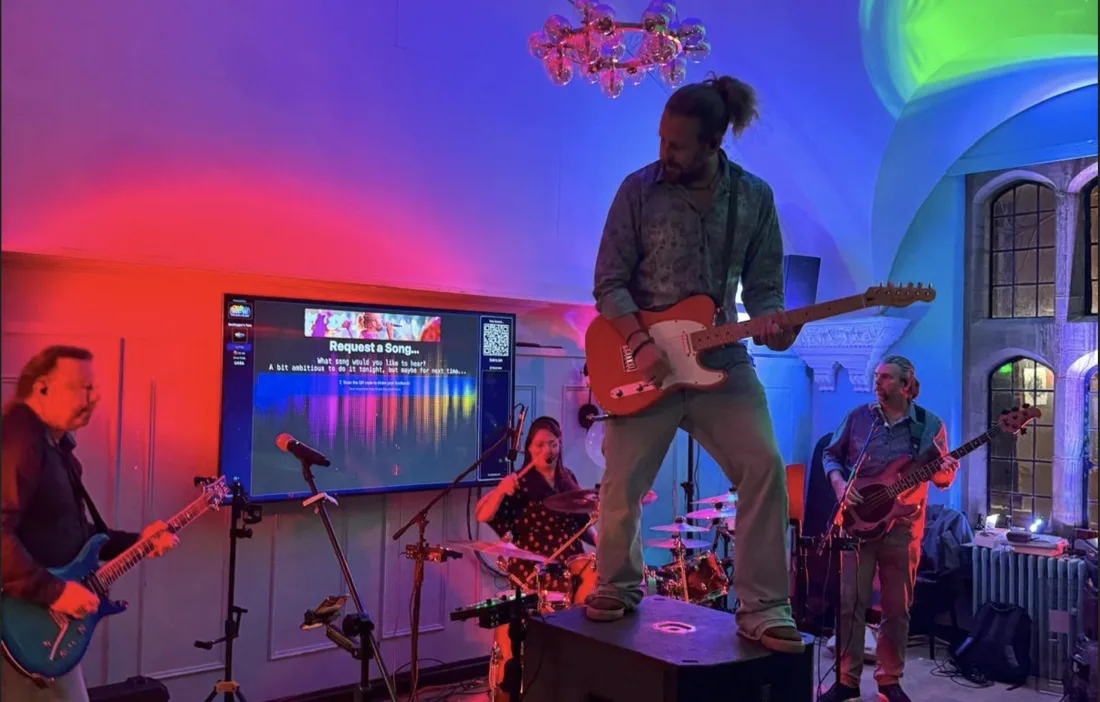
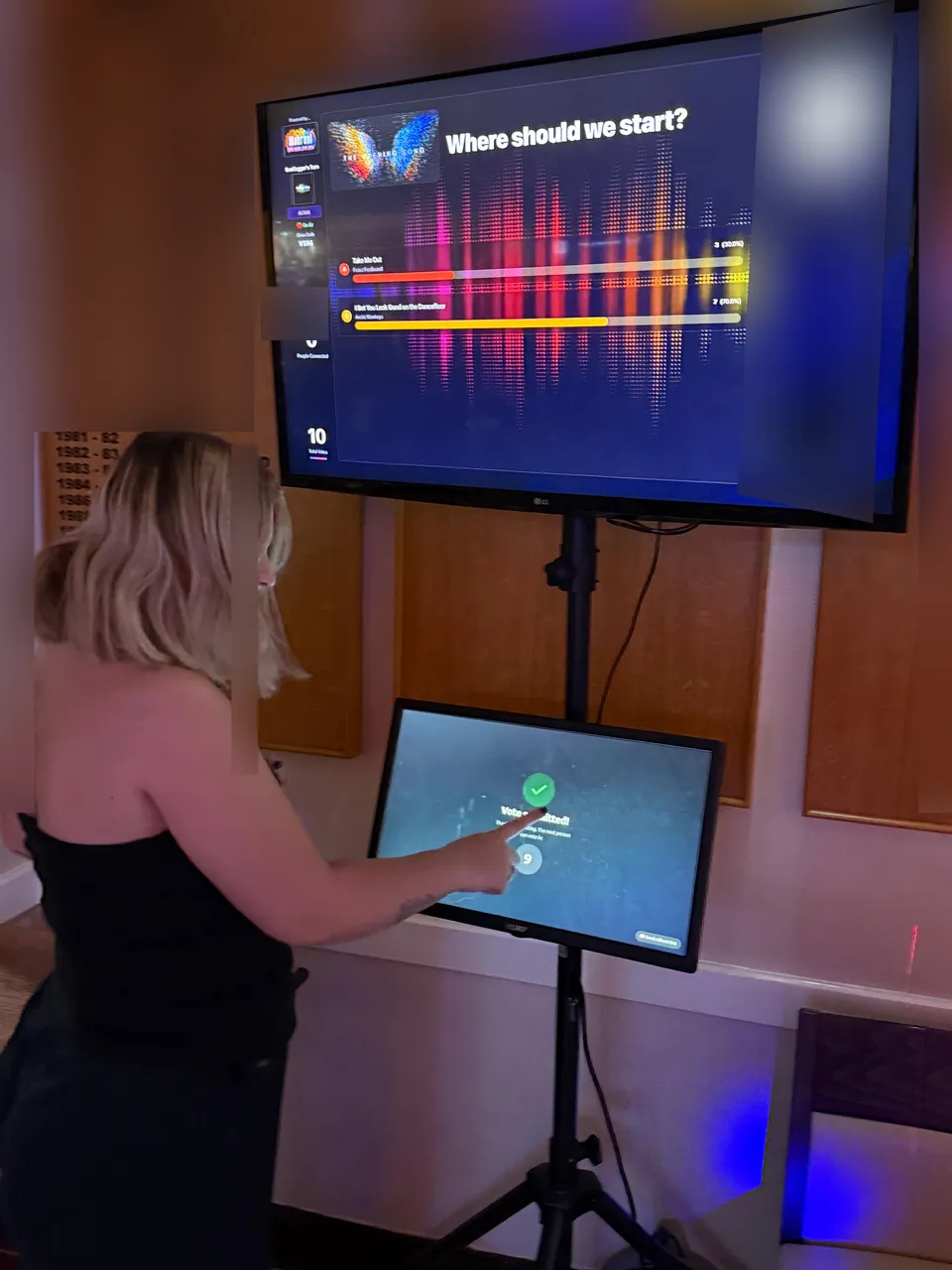
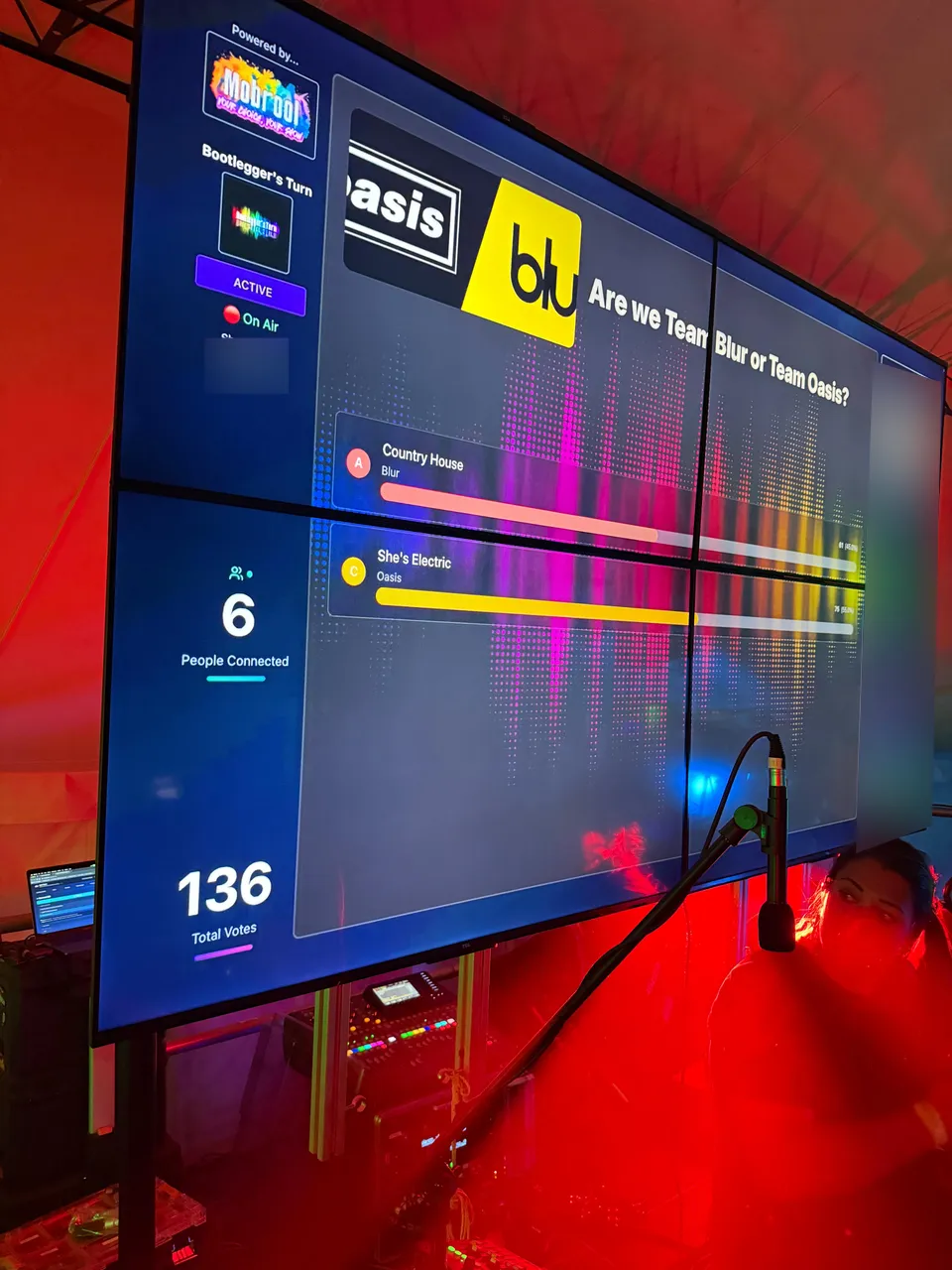
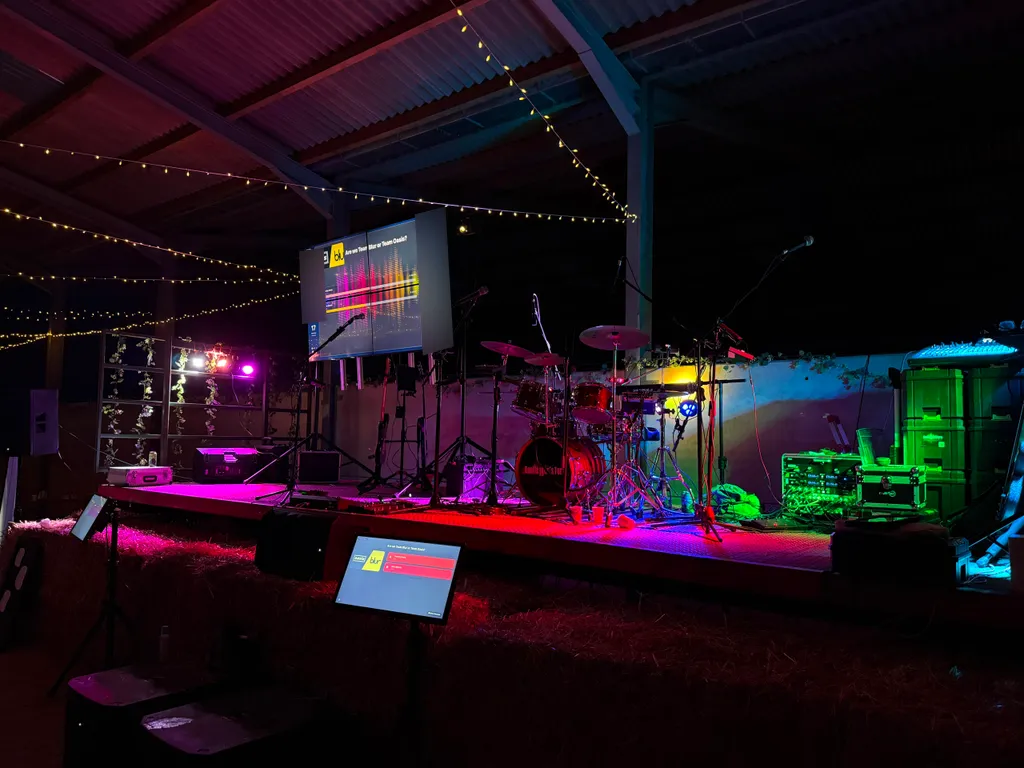
Mobrool™ at real events
These photographs show Mobrool being used at real events. They are separate from the demonstration interface screenshots above.
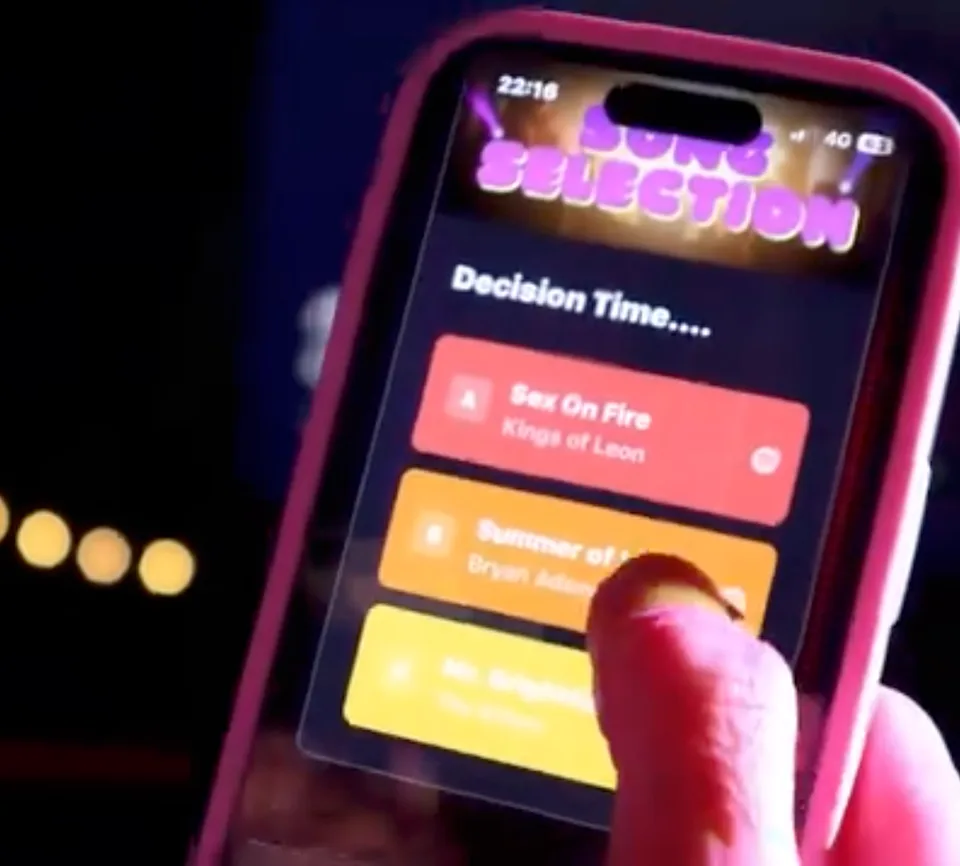
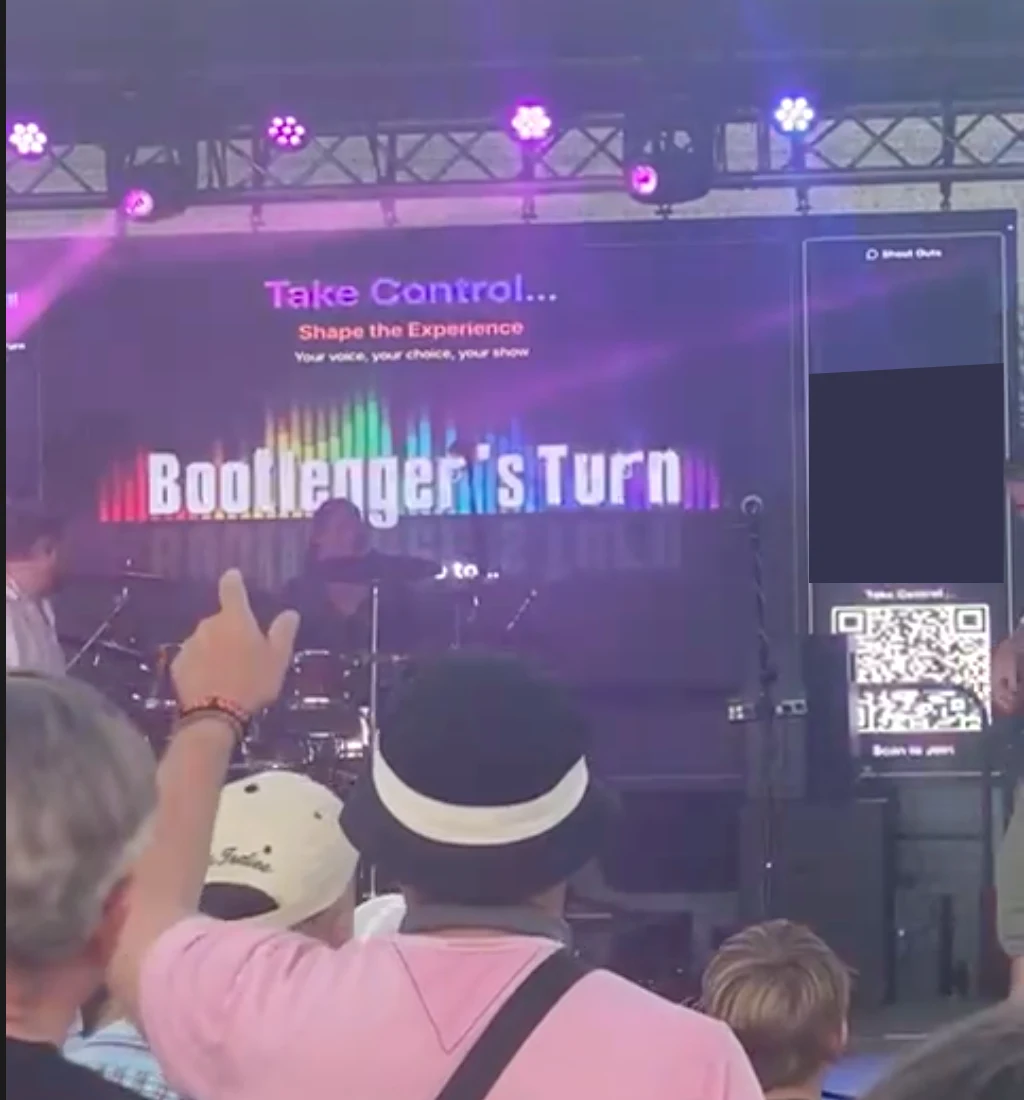
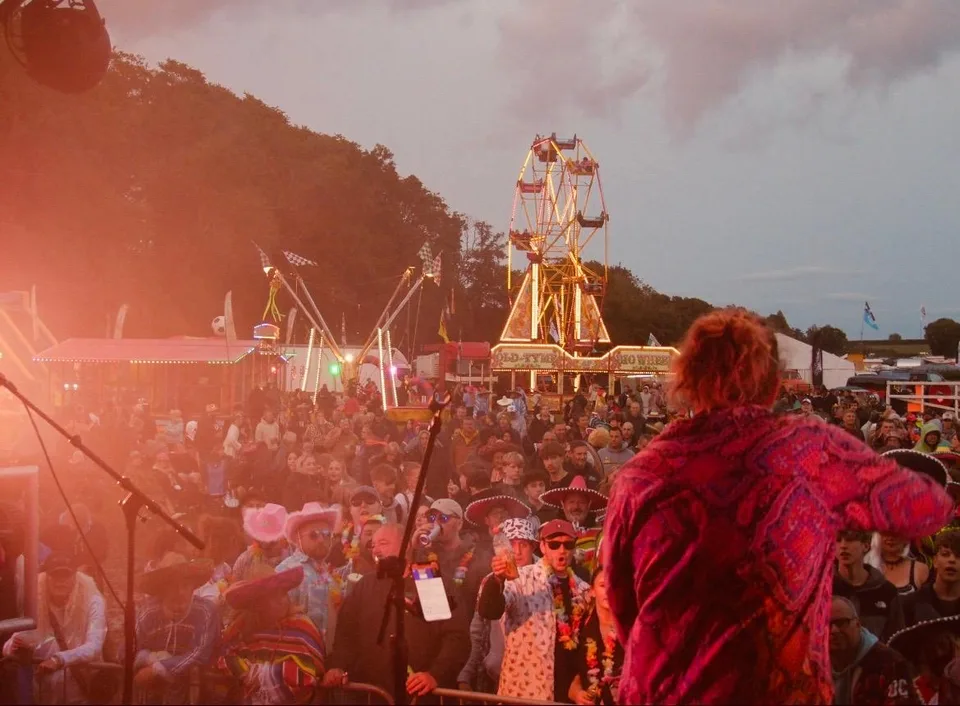
Core includes standard polls and song polls, image displays and slideshows, messages and prompts. Premium adds video, audience uploads, quizzes and games, kiosks, OBS and external tipping. One show credit activates one interactive event, not each poll, vote or message. Premium includes four credits each billing month; included credits expire at month end and do not roll over. Purchased credits are separate and never expire.
Create a reusable poll template, add it to a show, and invite the room to answer.
- Song choice votes
- Audience opinions
- Yes / no decisions
- Interactive setlist shaping
Share a prompt or instruction as part of the event.
- Venue rules & safety info
- How to participate guides
- Set change announcements
- Event schedules & timings
Include a useful link in your event interactions.
- Social media follows
- Spotify / Apple Music
- Merch store
- Booking & contact links
Invite audience members to send open-ended text responses.
- Song requests with details
- Q&A sessions
- Creative ideas & feedback
- Personal fan messages
Show an image or other media as part of your event presentation.
- Sponsor logos & ads
- Band photos & promo
- Visual branding in breaks
- Event announcements
Link voting to songs in your repertoire so the audience can choose a song.
- Repertoire-linked voting
- Song titles and artists
- Choose which songs to offer
- Prepare votes alongside your setlist
A text trivia interaction with a correct answer revealed when it closes.
- Band and music trivia
- Set-break competitions
- Themed questions
- Reveal a correct answer
A quiz interaction built around an image clue.
- Album-art clues
- Visual trivia rounds
- Photo-based challenges
- Reveal a correct answer
Cycle through a collection of images during an event.
- Sponsor logo carousels
- Band photo galleries
- Promo content loops
- Event highlight reels
One credit covers an interactive event of up to 12 hours from first going live, for up to 250 connected audience members at a time. Combine tools uniquely for a fraction of your fee. Ending the event closes its activation immediately; another event needs another credit. An active paid subscription is required to activate an event.
A shared band diary
Keep upcoming dates and band plans together in one workspace.
Bookings in view
Keep booking details alongside the dates your band is preparing for.
Repertoire and media library
Maintain your songs and media in a reusable band library.
Setlists for each show
Build a running order from your song library, keep it with the show, and download a printable setlist PDF.
Standard audience interactions
Add polls, song polls, messages, prompts, slideshows and media displays to an event.
Moderated audience messages
Review incoming shout-outs before choosing whether to share them on the show display.
A simple way to join
Share an event QR code or link so audience members can join from a phone.
Premium production options
Premium adds video, audience uploads, quizzes and games, kiosks, OBS and external tipping.
For the artist
- Share a diary and keep bookings with band plans
- Maintain a repertoire and media library
- Prepare setlists for each show
- Create reusable interaction templates in the library
- Add selected templates to shows and run them from show controls
- Review incoming audience messages before choosing whether to display them
For the audience
- Join an event from its shared link or QR code
- Respond to polls and song polls when they are active
- Send a message for the band to review
- Take part in an interaction chosen for the event
- Follow event prompts and view shared media
- See the event presentation when the band shares it
More production options with Premium
Premium extends the standard interaction set with tools for shows that need them.
- Video and audience photo or video uploads
- Quizzes and games
- Kiosk mode for a shared participation device
- OBS integration and external tipping
Mobrool Core
£9.99 / month, per band
Day-to-day tools whether or not you run interactive shows: shared diary and booking management, song library and reusable show setups, printable setlists, preparing Core interactions and 5GB reusable storage.
Add an interactive show credit for £9.99 when it suits a gig. Purchased credits never expire. An active paid subscription is required to activate an event.
Mobrool Premium
£39.99 / month, per band
For bands making interaction regular: everything in Core, plus video, audience uploads, quizzes and games, kiosks, OBS, external tipping, 20GB reusable storage and four interactive credits each billing month.
Included credits expire at billing-month end, do not roll over and are used first. Purchased credits never expire and remain on your account if you cancel.
One credit covers one interactive event for up to 12 hours from first going live, with up to 250 connected audience members at a time—not each poll, vote or message. Ending the event closes its activation immediately; another event needs another credit. An active paid subscription is required to activate an event. Purchased credits cost £9.99 each, never expire and stay on your account if you cancel; an active paid subscription is still needed to start a new event.
Looking for white-label or multi-venue Enterprise arrangements? Talk to us.
Full plan detailsBefore the first note
Frequently asked questions
A practical guide to getting connected, keeping the show in your hands and understanding how live credits work.
Connection & setup
A little planning helps the tech stay out of the way of the music.
What if the venue has poor mobile signal or no Wi-Fi?
For a venue with weak reception, a 4G or 5G hotspot or cellular router placed where it gets the best signal may help. Starlink is another option for rural venues, with the venue’s permission and a safe installation. Whichever connection you use, test it at the venue before the show.
As a comfortable planning target, consider around 30 Mbps download and 10 Mbps upload. That is not an enforced minimum or a performance guarantee: shared audience Wi-Fi, uploads, video and network congestion all affect the bandwidth available.
Does Mobrool work fully offline if the connection drops?
Keep a fallback setlist ready so you can carry on with the music if the connection fails. Specialist local show-control options are not a substitute for the internet connection needed by the hosted audience features.
Do audience members need an app or an account?
Crowd & content control
Set the boundaries, then choose what belongs in the moment.
How can we manage inappropriate or rowdy audience messages?
- Manual: Messages stay pending for a band member to review and approve or reject.
- Auto Approve: Automatic AI screening is used to decide whether a message can be approved. AI can misread context, local slang or dialect, so it is not a flawless safety filter.
- Auto Display: Uses the automatic screening flow and sends approved messages to a small list in the display sidebar. A message only appears as a central highlight when a band member explicitly clicks it.
If AI screening is unavailable, messages default to pending for manual review. A band can explicitly enable a local-only, unscreened fallback; that is a conscious choice to accept the risk, and those messages have not been AI-checked. Yellow and red cards warn or block a sender for the current show.
What if the crowd votes for a song we are not ready to play?
Can one person vote repeatedly or rig a poll?
Accounts, credits & testing
Know what an activation covers before show day.
What does one live-show credit cover?
Do purchased credits expire, and what happens to Premium credits?
Premium’s included monthly credits renew with the billing cycle and reset if unused; they do not roll over. Included credits are used before purchased credits. For current prices and full plan entitlements, see Mobrool pricing.
Can we try our setup at home before a gig?
Ready to run your show?
Find the plan that fits your band, then use Join to get started. Current invitation requirements are explained at signup.